Self-Hosted Google Photos Without Subscriptions: Deploying Immich in Homelab
🇺🇦 Читати цю статтю в оригіналі українською
For years, Google Photos has been a beloved service for millions: effortless mobile uploads, smart search by objects and faces, and easy shared albums. However, the era of unlimited free cloud storage is over. Today, the standard 15 GB free tier is shared across Gmail, Google Drive, and Photos — running out of space in just a few months.
What follows is the subscription trap: recurring monthly fees for extra storage, aggressive compression algorithms “for efficiency,” and most critically — privacy concerns. Major tech conglomerates openly train proprietary artificial intelligence models on vast troves of personal photo libraries.
There is a superior alternative — Immich. It is a modern, blazing-fast, and full-featured self-hosted photo management system that you can deploy on your own server in minutes.
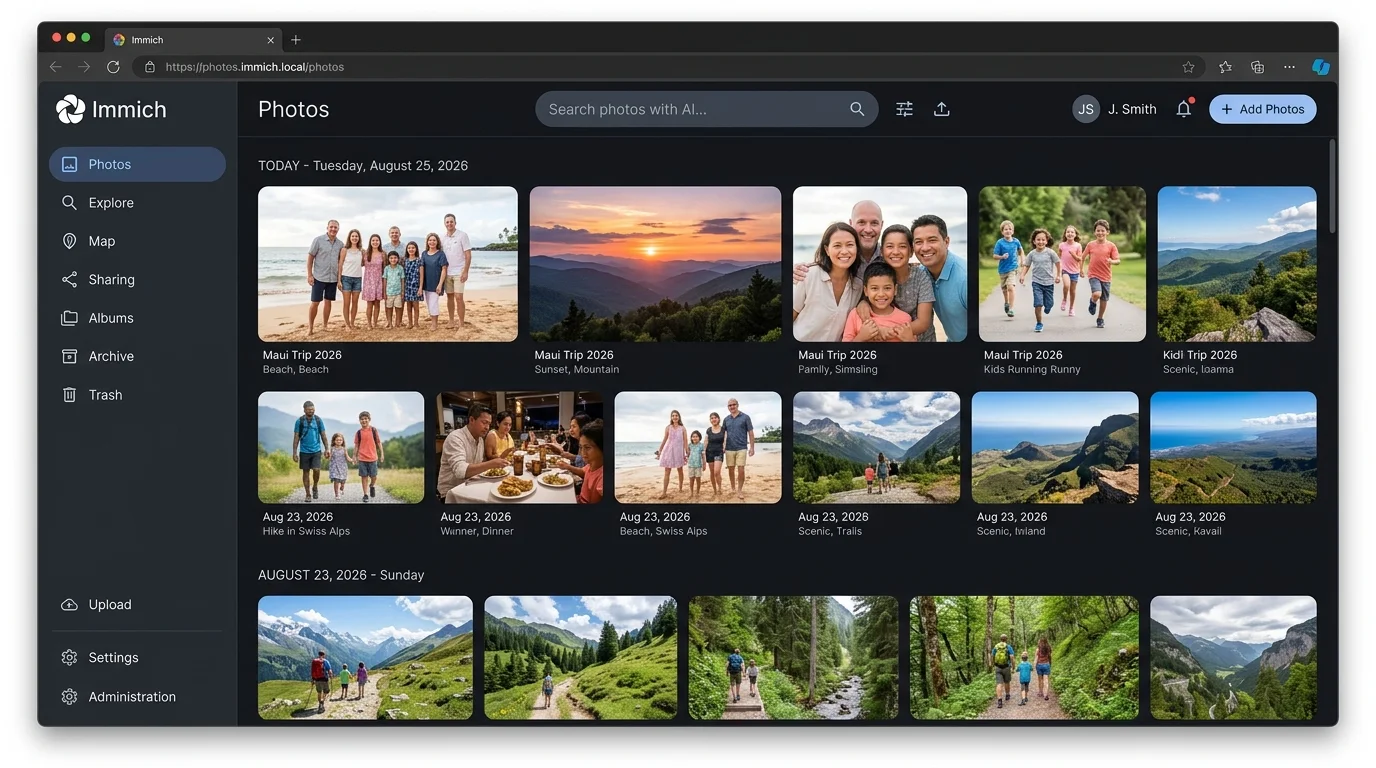 Fig. 1. Modern Immich web gallery interface with interactive chronological timeline
Why Choose Immich?
Immich has become an absolute sensation in the homelab and self-hosting communities because it matches or exceeds cloud giants feature-for-feature:
- Pristine Quality with Zero Compression: Preserves raw camera files (RAW), Apple Live Photos, original HEIC images, and uncompressed 4K video.
- Native Mobile Apps (iOS & Android): Automated background sync whenever your phone is connected to Wi-Fi or charging.
- Local Machine Learning: On-device computer vision models cluster faces, detect pets, and enable semantic natural-language search (“sunset on the beach”, “vintage red car”, “birthday cake”) with zero cloud dependency.
- Multi-User Family Support: Isolated private accounts for every family member, complete with Partner Sharing identical to Google Photos.
- Interactive World Map: Browse your entire lifetime travel history pinned geographically on an interactive map.
Architecture Overview
Immich is engineered for modularity and high performance. The stack includes 4 core components:
immich-server— Main application backend and web interface.immich-machine-learning— Dedicated microservice running local AI inference for face detection and semantic CLIP search.redis— High-speed task queue managing background video transcoding and batch image processing.database— PostgreSQL augmented with the pgvector extension for ultra-fast vector similarity searches.
Step 1. Storage Layout & Docker Compose Configuration
Create a dedicated directory for the project, e.g., /opt/immich:
1
sudo mkdir -p /opt/immich && cd /opt/immich
Download Official Deployment Templates:
1
2
wget -O docker-compose.yml https://github.com/immich-app/immich/releases/latest/download/docker-compose.yml
wget -O .env https://github.com/immich-app/immich/releases/latest/download/example.env
Configuring the .env File
Open .env in a text editor (nano .env) and set your core storage and environment parameters:
1
2
3
4
5
6
7
8
9
10
11
12
# Path where all original photos and videos will reside
# You can point this to a TrueNAS ZFS pool or dedicated drive
UPLOAD_LOCATION=/mnt/storage/photos

# Directory for PostgreSQL database storage
DB_DATA_LOCATION=./postgres

# Server timezone
TZ=Europe/Kyiv

# Strong database password
DB_PASSWORD=Super_Secure_Immich_Pass_2026!
Step 2. Launching the Stack
Verify your photo directory exists with appropriate permissions, then spin up the stack:
1
docker compose up -d
Docker will pull the images and initialize all services. The Immich web portal will be listening on port 2283 (e.g., http://192.168.50.125:2283).
Step 3. Admin Account Initialization
- Open your browser and navigate to
http://192.168.50.125:2283. - Click Getting Started and register your initial administrator account (Email, secure password, and display name).
- Upon login, you are greeted with a clean gallery interface ready to ingest media.
Step 4. Setting Up HTTPS via Nginx Proxy Manager
To support mobile client synchronization and browser security APIs, an encrypted HTTPS connection is mandatory.
We will leverage our AdGuard Home and Nginx Proxy Manager gateway established in earlier guides:
- DNS Rewrite in AdGuard:
- Domain:
photos.home.myhomelab.org - IP: Your reverse proxy IP (e.g.,
192.168.50.125).
- Domain:
- Proxy Host in Nginx Proxy Manager:
- Domain Names:
photos.home.myhomelab.org - Scheme:
http - Forward Host/IP: Host IP running Immich.
- Forward Port:
2283 - Websockets Support: Enabled!
- SSL: Choose your wildcard certificate
*.home.myhomelab.org, toggle Force SSL and HTTP/2 Support.
- Domain Names:
- ⚠️ Critical Setting for 4K Video Uploads:
In NPM, edit the proxy host, navigate to the Advanced tab, and append the following configuration:1 2 3
client_max_body_size 50000M; proxy_read_timeout 600s; proxy_send_timeout 600s;
Without this directive, Nginx’s default 1 MB client body buffer will reject high-resolution photos and video uploads.
Step 5. Connecting Mobile Clients
- Install the official Immich app from the App Store or Google Play.
- At the initial screen, enter your secure server endpoint:
https://photos.home.myhomelab.org. - Sign in with your credentials.
- Grant photo library access and enable Background Backup.
New photos and videos captured on your phone will now seamlessly back up to your private home storage array in the background.
Step 6. Local AI: Facial Recognition & Semantic Search
Immich processes your library in the background using local computer vision models:
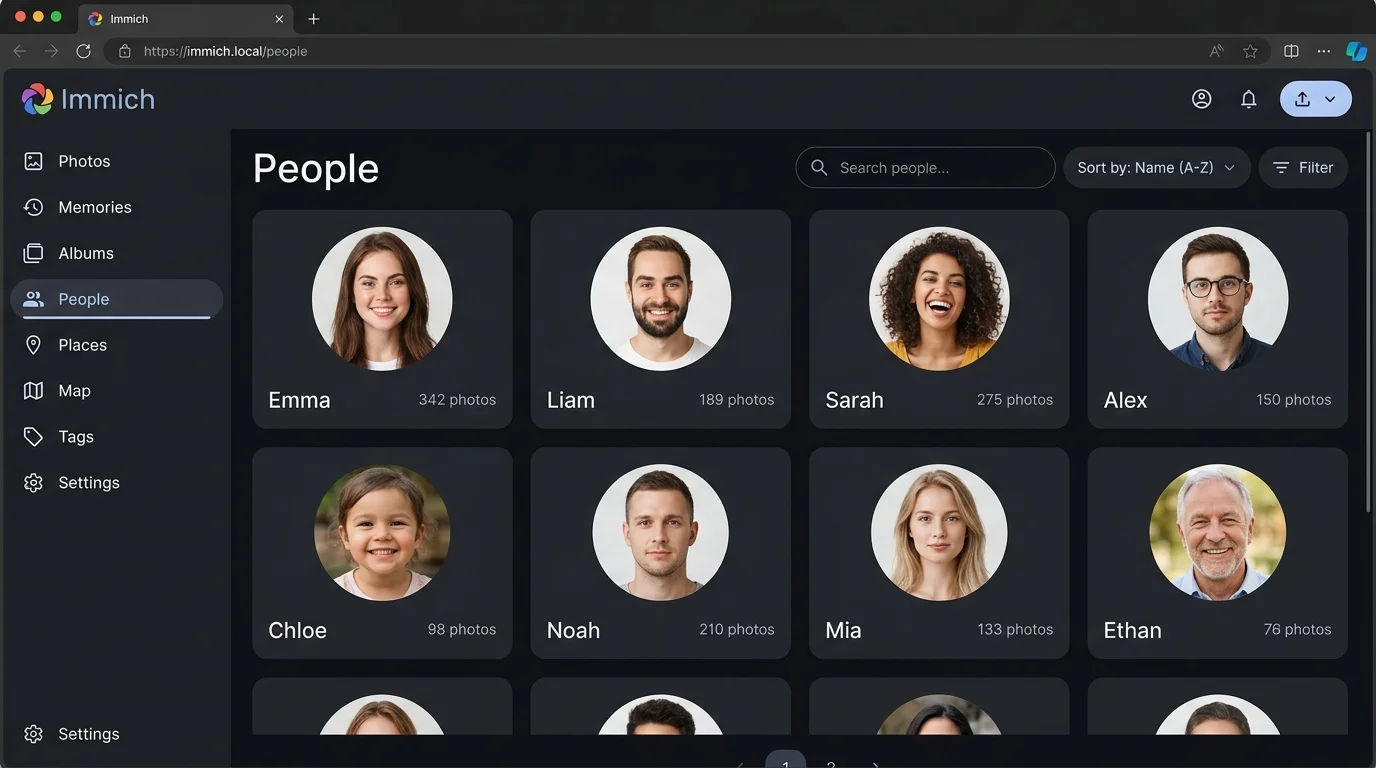 Fig. 2. People view in Immich automatically clustering recognized individuals
- People Hub: Detected faces are clustered into interactive avatar cards. Label a person once (e.g., “Sarah”), and Immich instantly collates all historical memories containing that individual.
- CLIP Semantic Search: Search using natural descriptive queries (“cat asleep on sofa”, “foggy alpine peak”, “boarding pass”) — the model interprets visual semantics without requiring manual tags.
Step 7. Disaster Recovery & Backup Strategy
Since you are in control of your digital archives, hardware resilience is key:
- Database Snapshot: Take daily dumps of PostgreSQL metadata:
1
docker exec -t immich_postgres pg_dumpall -c -U postgres > /opt/immich/backup_db.sql
- Photo Storage: Back up
/mnt/storage/photosto an off-site secondary destination usingresticorrcloneroutines as demonstrated in our previous disaster recovery articles.
Conclusion
Immich represents one of the most polished self-hosted applications available today. It completely eliminates subscription fees, delivers uncompromised original media quality, and guarantees absolute digital privacy for your family’s most cherished memories.